Govern Microsoft 365
Enable collaboration while governing risk, compliance, and the information lifecycle.
Microsoft 365 (M365) adoption has outpaced governance maturity as information sharing expands within and outside organizations. Without a deliberate governance framework aligned to business priorities, collaboration in Teams, SharePoint, and OneDrive may introduce security and compliance risk that configuration alone cannot address. Our blueprint gives IT leaders a structured, policy-first approach to governing M365 while preserving compliance, security, and information lifecycle control.
For IT and security leaders responsible for M365 environments, the path from deployment to effective governance is rarely straightforward. Fragmented ownership, default configurations optimized for speed, and rapidly expanding AI capabilities create compounding risks that most organizations are still trying to maneuver.
1. Governance must be business-aligned, not configuration-driven.
Many organizations rely on default M365 and Office 365 (O365) configurations or isolated policies that do not reflect business priorities or risk tolerance. This leads to inconsistent controls, unmanaged data growth across the platform, and increased security and compliance exposures. Define governance intent first and map controls to business outcomes to ensure consistency, durability, and alignment across M365 services.
2. Balance enablement with protection through adaptive governance.
Overly restrictive controls limit productivity, while insufficient controls increase risk and policy drift. This creates friction for users and leaves organizations vulnerable to oversharing, misconfiguration, and compliance gaps. Implement adaptive governance with policy-driven guardrails, automation, and monitoring to enable secure collaboration at scale while avoiding unnecessary user friction.
3. Safe AI adoption starts with ownership and data protection.
Governance breaks down when ownership is unclear, and data is not consistently classified or managed using tools like Microsoft Purview. This results in fragmented accountability, inconsistent enforcement, and amplified risk as AI tools such as Copilot expand access to corporate information. Define clear roles and strengthen data classification, retention, and protection to support sustainable governance, reduce audit exposure, and enable safe AI adoption.
Use this step-by-step blueprint to govern M365 effectively
Our Govern Microsoft 365 research offers structured tools and templates, including a Microsoft 365 Control Map, Capability Assessment, RACI Chart, Acceptable Use Policies, and Communication Plan, to help you build a policy-driven, auditable M365 governance model. Use this step-by-step blueprint to align controls to business outcomes, clarify ownership, and prepare your environment for secure, scalable adoption across M365, including Teams, SharePoint Online, OneDrive for Business, Exchange Online, Intune, and Microsoft Purview.
- Define governance objectives by identifying business priorities, assessing current M365 capabilities with the Capability Assessment, and establishing ownership using the RACI Chart.
- Map and implement controls using the Microsoft 365 Control Map and Acceptable Use Policies across the platform’s services.
- Communicate governance decisions and expected behaviors using the Communication Plan and service one-pagers to drive adoption, reduce confusion, and reinforce controls across the organization.
Member Testimonials
After each Info-Tech experience, we ask our members to quantify the real-time savings, monetary impact, and project improvements our research helped them achieve. See our top member experiences for this blueprint and what our clients have to say.
8.9/10
Overall Impact
$38,884
Average $ Saved
12
Average Days Saved
Client
Experience
Impact
$ Saved
Days Saved
NIGERIA LNG LIMITED
Guided Implementation
7/10
$289K
10
Texas Bank & Trust Company
Workshop
9/10
$2,759
5
Best part is Venkat and his knowledgebase. The worst part is the many configuration controls that no longer exist or exist in different forms in ... Read More
Member Organization
Guided Implementation
10/10
$11,039
5
Being provided a list of best practice recommendations
Member Organization
Guided Implementation
9/10
N/A
5
Thank You so much John for your advice and guidance on the 365 configurations. You feedback is extremely helpful and valuable to us. We very much a... Read More
Member Organization
Workshop
8/10
$50,000
47
Best - Reviewing each M365 application was appreciated and will provide us with some great framework on how to improve our M365 environment. Worst... Read More
Member Organization
Guided Implementation
10/10
$34,000
20
Best part was the firsthand experience of the technical requirements and ability to propose a suggested road map along with supporting tools!
Member Organization
Guided Implementation
7/10
$2,000
10
Member Organization
Workshop
9/10
$5,000
5
This is an intensive work, but Info-Tech was able to adapt the schedule and timing with our busy schedule.
Member Organization
Guided Implementation
7/10
$4,500
5
Sam presented the research well. The topic of governing Microsoft 365 is massive, and it seemed difficult to initially see where the HCCC should fo... Read More
Member Organization
Workshop
10/10
$50,000
23
Venkat was extremely knowledgeable and answered all our questions promptly. No negative experiences come to mind.
Member Organization
Workshop
10/10
$23,800
7
We moved the needle and developed a solid plan to be better prepared for M365 deployment and governance.
Member Organization
Guided Implementation
10/10
$15,755
10
Member Organization
Guided Implementation
10/10
$6,850
10
The guided approach is always the best part, and we were able to complete the work fairly quickly so I can move into our next steps. John's knowled... Read More
Member Organization
Workshop
10/10
N/A
2
Venkat was very knowledgeable, helpful and flexible. Sometimes the conversation would wander off topic a bit but it was valuable conversation. Venk... Read More
Member Organization
Guided Implementation
8/10
$10,000
10
Member Organization
Workshop
10/10
$21,760
10
Scheduling of workshop can be optimized and be easy for customers. We had few scoping calls instead one. ... Read More
Govern Microsoft 365
Enable collaboration while governing risk, compliance, and the information lifecycle.
Analyst perspective
From tenant settings to trusted governance across Microsoft 365.
Microsoft 365 governance is no longer about managing isolated workloads or enforcing one-off policies. It requires a deliberate governance model that aligns controls to business priorities, establishes clear ownership, and applies guardrails consistently across collaboration, data, and access, without compromising productivity.
Organizations that treat governance as a set of tenant settings struggle with data sprawl, inconsistent user behavior, and growing exposure, especially as collaboration expands, external sharing increases, and AI tools like Copilot amplify access to information.
Overly restrictive controls can be counterproductive to effective collaboration. Establish clear intent, aligning controls to business priorities, and enforcing guardrails consistently across Teams, SharePoint, OneDrive, and Exchange, without undermining productivity.
This blueprint focuses on governance foundations: defining ownership, mapping controls to business outcomes, and operationalizing Microsoft Purview and platform controls so governance becomes repeatable, auditable, and adaptable as Microsoft 365 evolves.

John Donovan
Principal Research Director, I&O Practice
Info-Tech Research Group
Executive Summary
Your Challenge
Microsoft 365 enables powerful collaboration, rapid information sharing, and AI-driven productivity, but without deliberate governance, it also introduces significant risk. There's a lot that is new when it comes to Microsoft 365, and it's not always easy to navigate.
- Organizations struggle to balance enablement and control as Teams sprawls, SharePoint content grows unchecked, sensitive data moves freely, and new capabilities like Copilot magnify both value and exposure.
- The core challenge is not technology, it is governing Microsoft 365 that aligns security, compliance, and information management with how the business operates.
Common Obstacles
Microsoft 365's breadth and pace of change create governance complexity for most organizations. Even a basic E1 license introduces numerous services and features that must be governed coherently. Common challenges include:
- Fragmented ownership across IT, security, compliance, and the business, resulting in inconsistent policies and unclear accountability.
- Difficulty implementing governance in an active collaboration environment without disrupting productivity.
- Reactive controls applied after incidents, rather than proactive guardrails embedded into daily workflows.
- Default configurations optimized for speed, not risk or regulatory requirements, with no single view of available governance controls.
Info-Tech's Approach
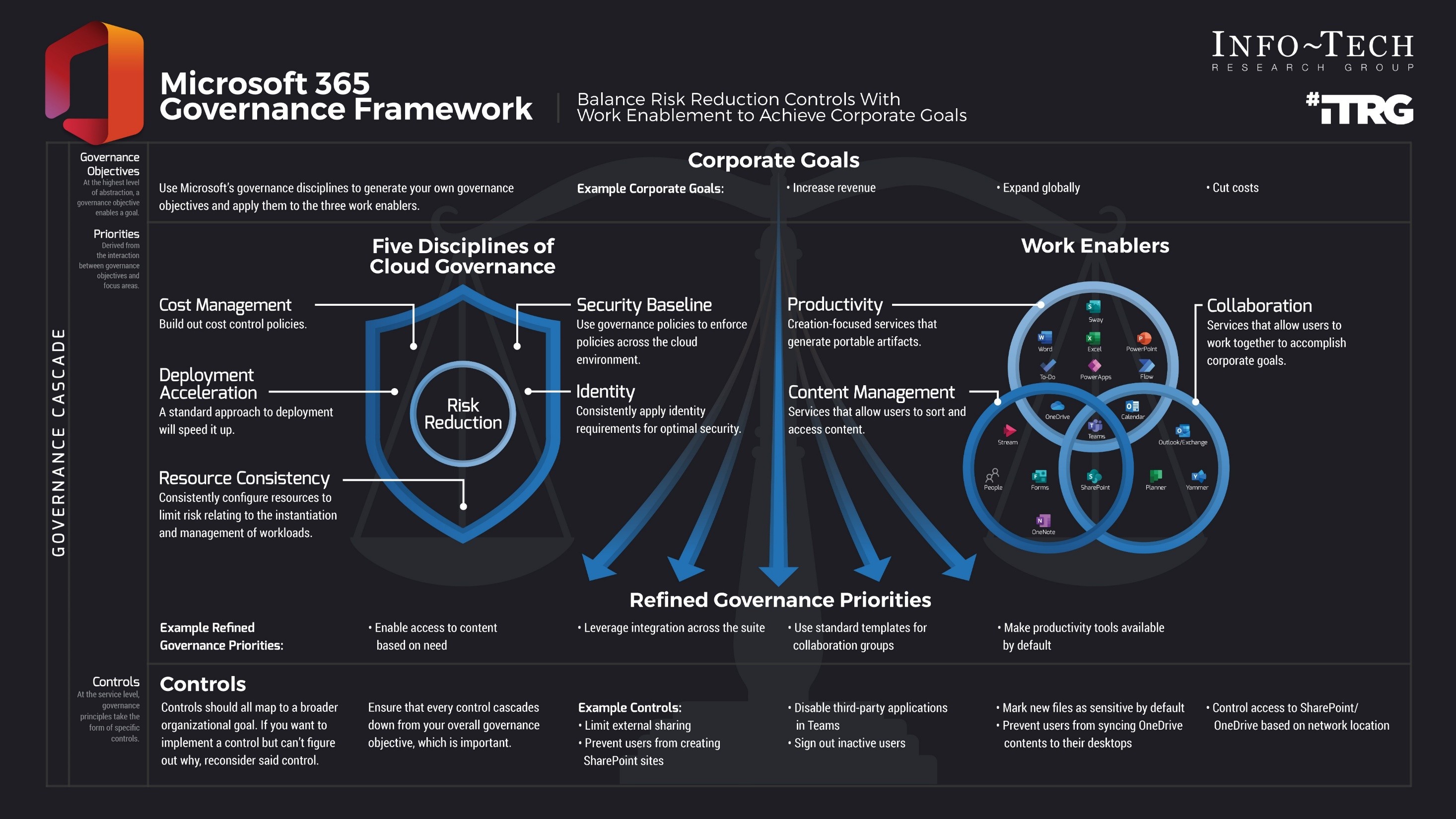
This blueprint takes a policy-first, business-aligned approach to governance, separating governance intent from Microsoft's evolving UI while still mapping controls to native capabilities.
- Define clear governance objectives grounded in business priorities and risk tolerance.
- Establish role clarity and decision ownership across IT, security, compliance, and business stakeholders.
- Design governance controls at the policy level, not the feature level, ensuring durability as Microsoft evolves.
- Align data classification, retention, access, and monitoring into a cohesive control framework.
Info-Tech Insight
Effective Microsoft 365 governance starts with clear policy intent and ownership, not tool configuration, ensuring controls remain consistent as the platform evolves. Organizations that govern Microsoft 365 at the policy level achieve better security, adoption, and long-term sustainability.
Market trends and statistics
Key statistics highlighting the need for good M365 governance.
Gap in governance maturity:
50%
Approximately half of Microsoft 365 users aren't managed by default security policies, indicating substantial governance and oversight gaps in typical enterprise environments.
("M365 Application Security," CoreView, 2022)
Configuration alone isn't enough without coordinated governance and consistent execution.
90%
90% of organizations have gaps in core Microsoft 365 security protections, even when they have policies in place.
("9 out of 10 Enterprises Have Vulnerabilities," CoreView, 2022)
Challenges in securing and governing data for the era of AI.
91%
91% of leaders are not prepared to manage risks posed by AI.
(Microsoft Security Community, 2025)
Governance-driven decisions matter
Rethinking Microsoft 365 governance
Microsoft 365 adoption has outpaced governance maturity, increasing risk as collaboration, data sharing, and AI capabilities expand across the platform.
68%
Independent breach data confirms that misuse of access privileges, and not including malicious misuse, not lack of security tools, is a leading cause of data exposure, underscoring the need for structured Microsoft 365 governance.
Source: Verizon Business, 2024
70%-80%
70%-80% of security and compliance incidents in Microsoft 365 are tied to misconfiguration, oversharing, or unclear ownership, not platform failure.
Source: Canadian Cyber, 2025
- Default Microsoft 365 settings are optimized for speed and usability, not organizational risk tolerance or regulatory obligations.
- AI-powered capabilities (e.g. Copilot) amplify existing permission and data hygiene issues, increasing the impact of weak governance.
Info-Tech Insight
Microsoft 365 risk is rarely caused by missing features, it is caused by unclear policy intent, fragmented ownership, and governance tied too closely to the platform's UI. Organizations that govern Microsoft 365 at the policy and control-intent level are better positioned to enable collaboration, manage risk, and adopt AI safely as the platform evolves.
Choosing your Microsoft 365 governance posture
Balancing control and enablement is key to building an effective governance model.
Modern Microsoft 365 requires BOTH
Restrictive Governance
- Centralized approvals for sites, teams, and apps
- Locked-down sharing and external access
- Manual, approval-heavy review
- Limited innovation, and friction for users
Adaptive Governance
- Automated policy enforcement driving provisioning and access
- Enables collaboration within guardrails
- Continuous monitoring detects and escalates risk
- Empowers users while managing policy drift
Info-Tech Insight
High-performing organizations govern Microsoft 365 through guardrails and automation, balancing enablement with risk management.
Establish Effective Microsoft 365 Governance
Design governance for how people work
Governance should enable collaboration, not fight it. Start with how employees create, share, and use information, then apply guardrails that protect the organization without disrupting productivity.
Define intent, then enforce consistently
Every governance control must trace back to a clear business, risk, or compliance objective. If a control cannot be justified in plain language, it should be reconsidered or simplified.
Balance enablement with protection
Microsoft 365 is designed to produce, collaborate, and share by default. Governance decisions should consciously balance usability with security and compliance, recognizing that overly restrictive controls often increase risk through workarounds.
Ownership is a governance control
Governance breaks down when responsibility is unclear. Define and document ownership across IT, security, compliance, and the business to ensure decisions are consistent, sustainable, and auditable.
Default to guardrails, not hard stops
Where possible, guide behavior through policy, automation, and visibility rather than outright restriction. Use prevention controls selectively and intentionally, based on risk, not fear.
Prepare for AI enabled access
AI capabilities such as Copilot do not create new access; they amplify existing permissions and content exposure. Strong information governance is a prerequisite for safe AI adoption.
Case Study
Automating information governance to reduce risk and prepare for AI at scale.

INDUSTRY
Power & Engine Manufacturing
SOURCE
Microsoft Customer Stories, 2024
Challenge
Cummins, a global industrial manufacturer with a complex information estate, needed to improve its information governance across Microsoft 365 to meet record-keeping requirements and prepare for the adoption of AI capabilities. The company faced challenges in consistently applying data classification, retention, and sensitivity policies across a large volume of content stored in Teams, SharePoint, OneDrive, and email, leading to risk of regulatory noncompliance and inefficient manual governance processes.
Solution
Cummins implemented an automated governance framework using Microsoft Purview Information Protection and Data Lifecycle Management. Key elements included:
- Automating data classification and sensitivity labeling across the enterprise to ensure sensitive content was consistently tagged.
- Using machine learning-assisted classification to reduce manual tagging effort and increase accuracy.
- Deploying custom retention and lifecycle policies to enforce regulatory recordkeeping requirements and minimize sprawl.
Results
Automated classification and retention: Cummins reported that machine learning capabilities automated 10%-15 % of its global record schedule, reducing manual governance workload.
Improved compliance posture: With consistent labeling and lifecycle enforcement, the organization aligned its governance to compliance requirements more reliably across services.
AI preparedness: Preparing the data estate with consistent policies and classification positioned the company to adopt generative AI and advanced analytics with fewer governance risks.
Blueprint benefits
| IT Benefits | Business Benefits |
|---|---|
Clear governance framework and decision model Reduced administrative overhead and rework Improved audit readiness and control traceability Sustainable governance as the platform evolves |
Secure collaboration without slowing productivity Lower risk of data exposure and compliance gaps Faster adoption of advanced capabilities Improved confidence in the digital workplace |

About Info-Tech
Info-Tech Research Group is the world’s fastest-growing information technology research and advisory company, proudly serving over 30,000 IT professionals.
We produce unbiased and highly relevant research to help CIOs and IT leaders make strategic, timely, and well-informed decisions. We partner closely with IT teams to provide everything they need, from actionable tools to analyst guidance, ensuring they deliver measurable results for their organizations.
What Is a Blueprint?
A blueprint is designed to be a roadmap, containing a methodology and the tools and templates you need to solve your IT problems.
Each blueprint can be accompanied by a Guided Implementation that provides you access to our world-class analysts to help you get through the project.
Need Extra Help?
Speak With An Analyst
Get the help you need in this 3-phase advisory process. You'll receive multiple touchpoints with our researchers, all included in your membership.
Guided Implementation 1: Define your organizational goals
- Call 1: Conduct a goals exercise and introduce the capability assessment.
Guided Implementation 2: Control your Microsoft 365 environment
- Call 1: Refine governance objectives.
- Call 2: Build out controls (repeat this call for all relevant services).
Guided Implementation 3: Communicate your results
- Call 1: Formalize governance and build out one-pagers.
- Call 2: Finalize communication plan.
Contributors
- Jorge Carvalho, Collaboration Solutions Architect, LendLease
- Bryan Mierzejewski, VP, Network & Security Manager, Guilford Savings Bank
- Charles Nguyen, VP of Strategic Partnerships, NetGovern
- Chris Kershaw, Manager Enterprise Information Management, Strathcona County
- Dan Nobles, Senior Systems Specialist, Alabama Department of Environmental Management
- Harry Fukasawa, Executive Senior Advisor, Mitsubishi Chemical Holdings America, Inc.
- Joerg Meissner, Sr. Architect Azure/O365, Ovatio Technologies
- Mathieu Duhamel, IT Application Director, Richter
- Pankaj Srivastava, JGM, Office of CIO, Nayara Energy
- Phil Yaghi, Director, Sales Engineering, Hyalto
- Steven Smith, IT Infrastructure Manager, Seattle Housing Authority
- One anonymous contributor
 Run Better Meetings
 Rationalize Your Collaboration Tools
 Implement Desktop Virtualization and Transition to Everything as a Service
 Establish a Communication and Collaboration System Strategy
 Build a Digital Workspace Strategy
 Govern Microsoft 365
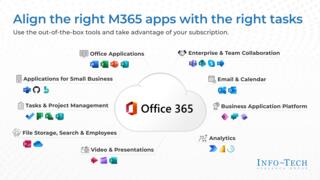 Create a Post-Implementation Plan for Microsoft 365
 Microsoft Teams Cookbook
 2020 Enterprise Collaboration Tools: Market Trends and Buyer’s Guide
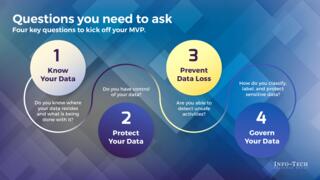 Build a Minimum Viable Product for Data Classification With Microsoft 365
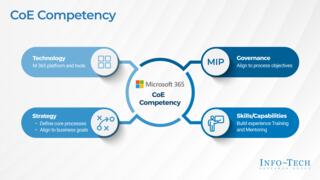 Drive Ongoing Adoption With an M365 Center of Excellence
 Endpoint Management Selection Guide
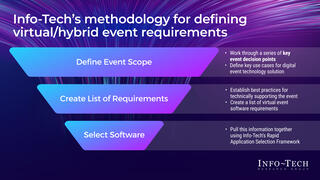 Define Your Virtual and Hybrid Event Requirements
 Collaborate Effectively in Microsoft Teams